.png?width=202&height=50&name=Logo%20(1).png)
Option 1: Create a New Compensation Cycle
Best for: Brand-new and/or one-off cycles such as mid-year salary increases or bonus programs, or simply for reward letter generation.
Steps:
- Navigate to the Comp Cycles List page
- Click the Create Comp Cycle button.
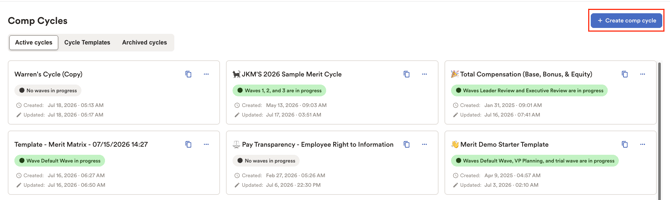
- Type in your Comp Cycle's name. This can be modified at any point so no sweat!
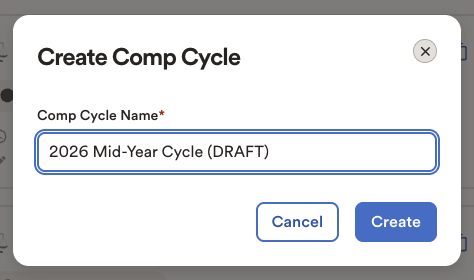
- Hit "Create" to proceed.
When to Use This Option
- Creating a compensation cycle from scratch.
- Running a unique or non-recurring compensation cycle.
- Leveraging Pequity to generate reward letters for a cycle completed outside of the tool.
Option 2: Clone an Existing Compensation Cycle
Best for: Recurring compensation cycles where a similar structure has already been used.
Cloning allows you to copy the framework of an existing cycle, saving time and ensuring consistency across compensation processes.
Steps
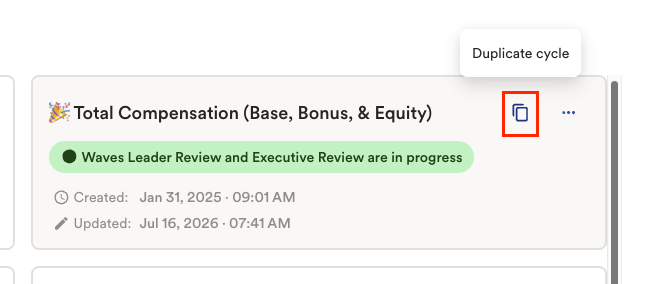
- Locate a previously completed or existing compensation cycle.
- Click on the Duplicate Cycle button.
- Provide a name for the new cycle and determine if you would like to copy users over.
NOTE: Uncheck the "Copy users assigned to roles" option for this cycle if you do not want non-admin users to have access to the newly created cycle. This setting is important for keeping the cycle hidden from non-admin users, especially when the cycle is still being built or when a cloned cycle is being used for reward letter testing or other test activities.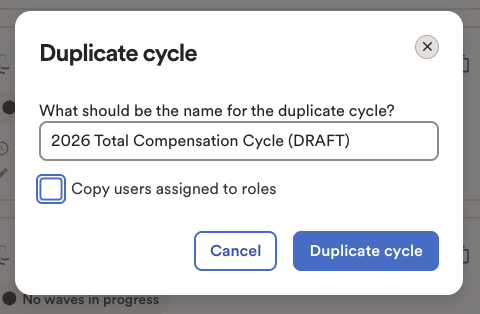
- Tap "Duplicate cycle" to proceed.
Benefits
- Saves setup time.
- Retains an established cycle structure (layouts, roles, permissions, calculations)
- Ideal for annual or recurring compensation programs.
- Allows quick updates without rebuilding from scratch.
Option 3: Use a Compensation Cycle Template
Best for: Quickly creating a cycle with predefined configurations and calculations.
Templates provide a pre-built starting point that includes commonly used computations and settings.
Steps
- Head over to the Comp Cycles List Page.
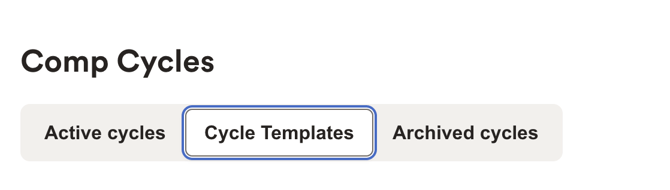
- Click on the "Cycle Templates" tab.
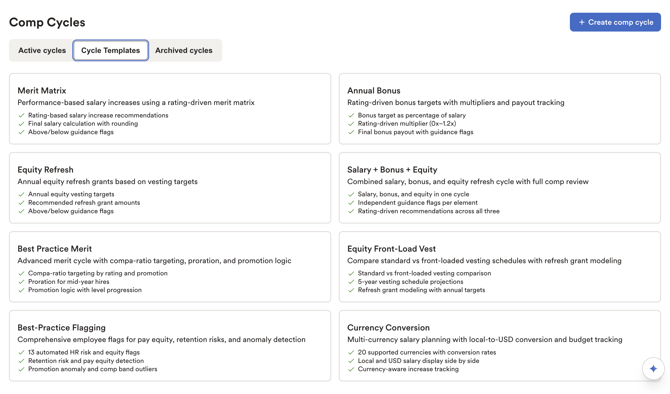
- Pick the template that best matches your compensation process.
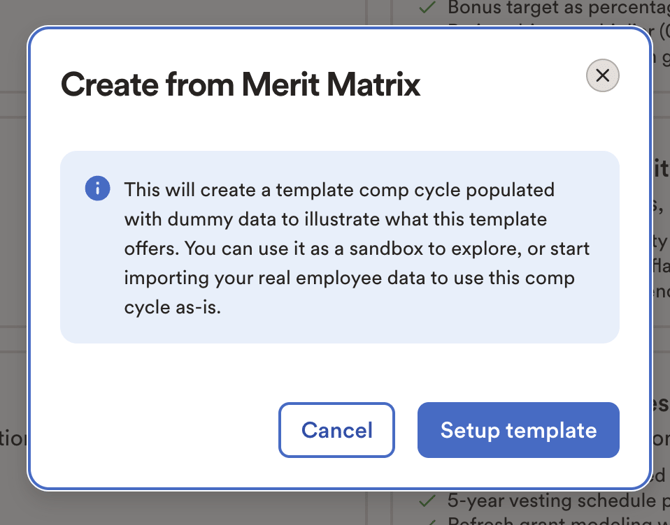
- Click "Setup Template" to proceed.
- Your new cycle will open once it has been created.
Benefits
- Faster setup using predefined configurations.
- Includes existing computations that can be adjusted as needed.
- Reduces manual configuration effort.
- Helps standardize compensation processes.