.png?width=202&height=50&name=Logo%20(1).png)
Need to clear out a wave before moving on to the next one? No problem! Here’s how you can do it in just a few clicks.
- Head over to your cycle's Settings page > Planning Hierarchy tab.
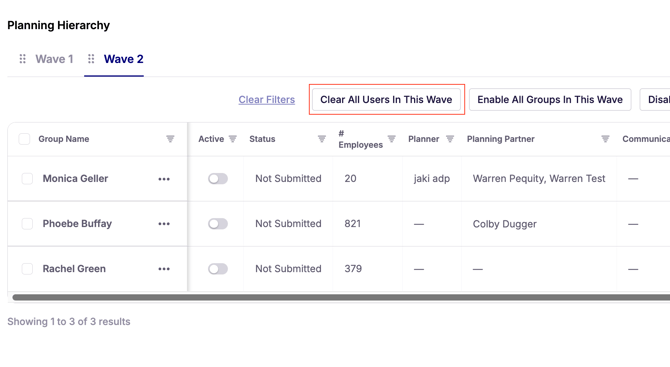
- Select the wave you want to remove users from.
- Click the “Clear All Users in this Wave” button.
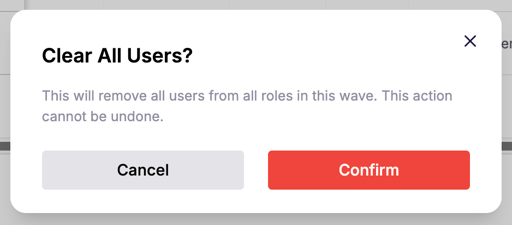
- Hit “Confirm” to finalize the action.
- Review the Roles (Planner, Planning Partner, etc) columns to make sure all users have been detached.
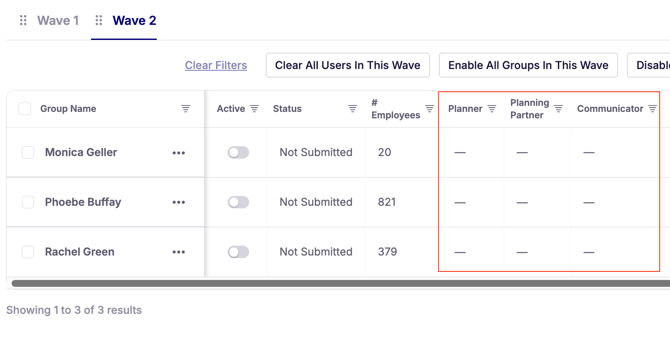
💡 Tip: Always double‑check the roles column after clearing users. It’s the quickest way to confirm that no one still has access.
✨ Note: This feature is especially beneficial for cloned cycles, as it ensures that no non‑admin users can access the new cycle during its implementation stage.