.png?width=202&height=50&name=Logo%20(1).png)
Steps to Create a Wave Start Notification Email
-
Open your Compensation Cycle
Navigate to the cycle where you want to set up the notification. -
Go to Settings → Notifications
This is where you can configure all email messages related to the cycle. -
Set Your Email Subject
Enter the default subject line that recipients will see. -
Write Your Email Body
Add the content of the message participants will receive when their wave starts.
(You can include instructions, reminders, or any information they need before starting.)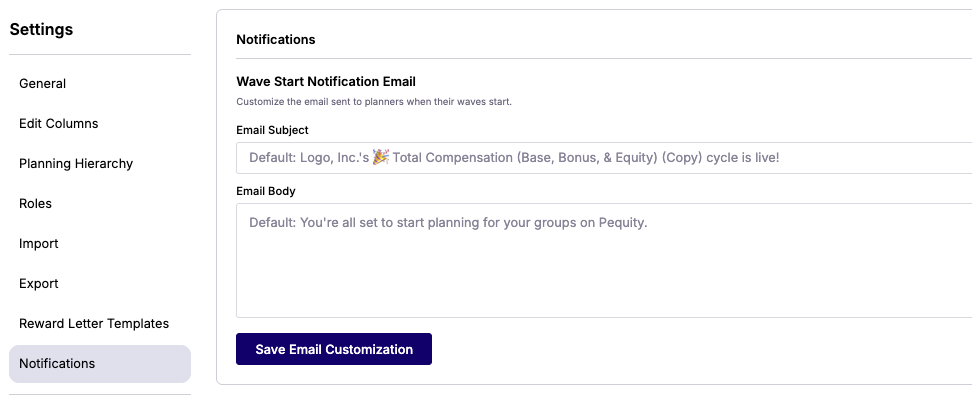
-
Click Save
Make sure to save your changes to apply the notification settings.
Testing Your Notification
To preview how the email works:
-
Add yourself (as an admin) to a test or trial wave.
-
Activate the wave.
-
The system will send the configured email to you, allowing you to verify the wording, formatting, and delivery.