.png?width=202&height=50&name=Logo%20(1).png)
✅ Step 1: Access Reward Letter Templates
-
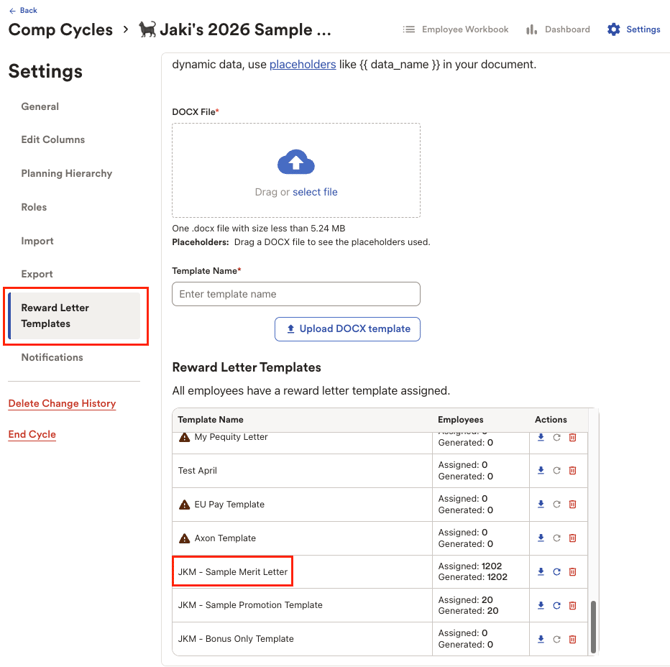
Navigate to Comp Cycle Settings > Reward Letter Templates.
-
Locate the template you'd like to update and copy the Template Name for reference
📁 Step 2: Upload Your Updated Template
-
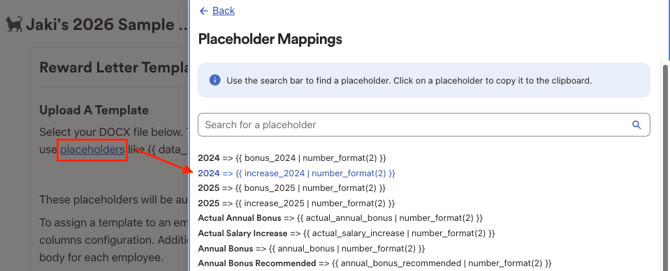
Expand the Placeholders link under "Upload a Template" to view and copy placeholders for your doc. Select your updated .docx template from your files.
-
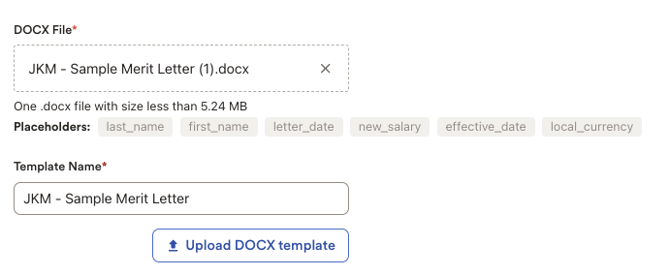
Upload it under the corresponding Template Name section. Make sure to name this with the exact naming convention as the existing template you'd like to update. Click "Upload DOCX template" to proceed.
👥 Step 3: Generate Reward Letters
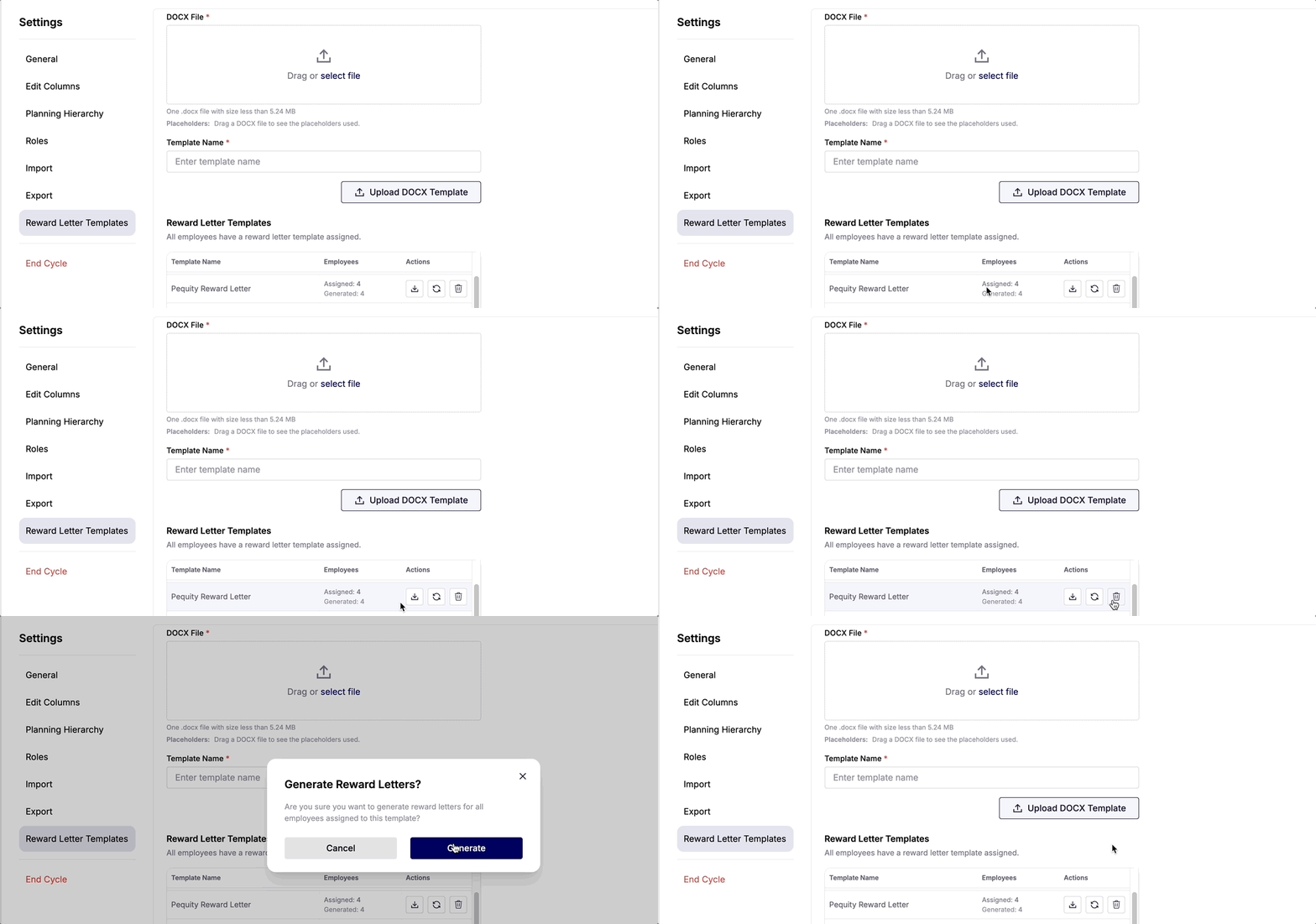
- Scroll down to the "Reward Letter Templates" section at the bottom of the page. Here, you’ll find all the templates you’ve uploaded, along with a quick view of how many employees are assigned to each template and how many letters have been generated.
- To generate all letters for your template, click the action button with the circular arrows icon again. A progress bar will appear at the top of your screen to indicate the status of the generation process.
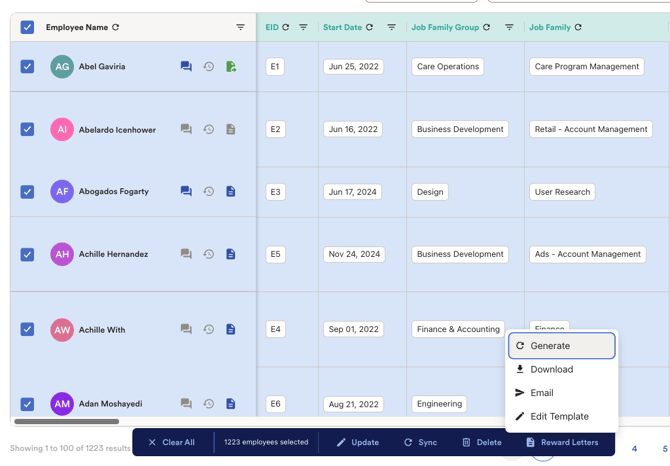
Additionally, as an admin, you can also generate letters directly in the workbook:
-
Go to the Employee Workbook in your cycle.
-
Use the Filter to select All Employees.
-
Click Generate from the action bar at the bottom.
📬 Step 4: Share Letters with Planners
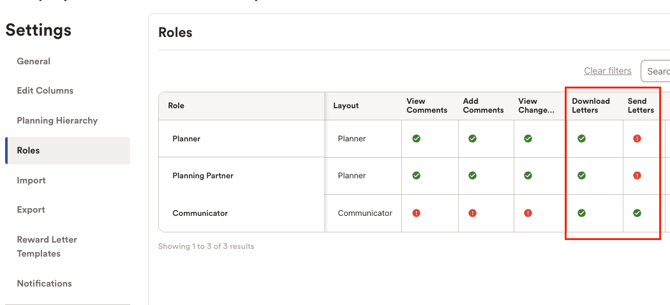
You now have two options:
-
Allow planners to download reward letters directly.
-
Or, send them via email straight from the tool. 🎉
🎊 That’s It!
Your letters are now ready to go! If you need further support or run into any issues, feel free to reach out to our team.