.png?width=202&height=50&name=Logo%20(1).png)
Updating a field for multiple employees in your Comp Cycle is super easy!
1. Select Employees > Bulk Update
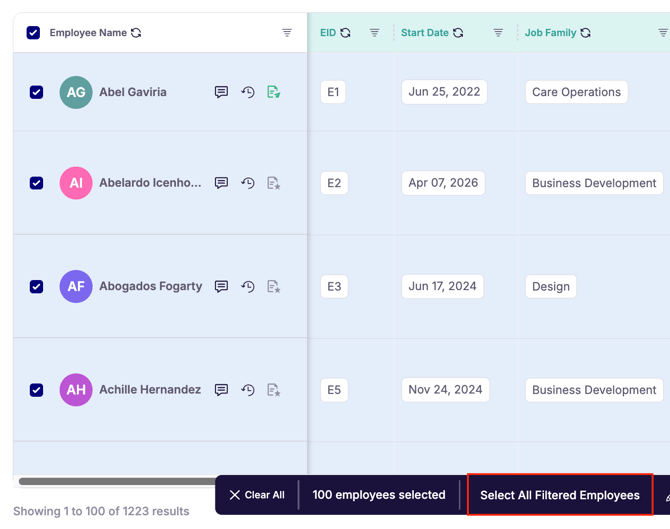
- Select Employees to Edit. Click on the "Select All Filtered Employees" button if you need to select all filtered employees.
- Click "Update" and Select the Column to edit
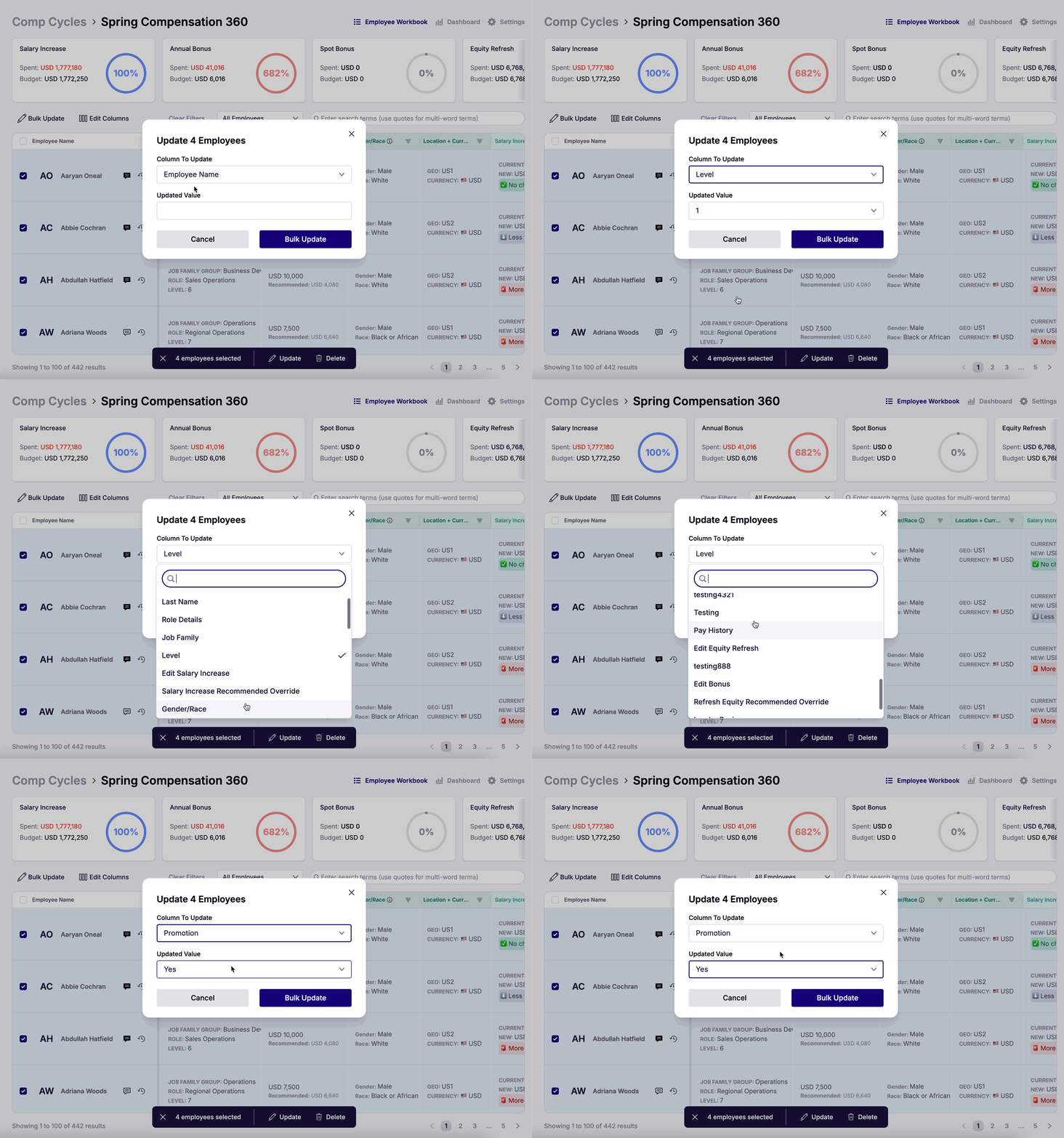
- Input the value you'd like to change and Click "Bulk Update"
⚠️Caution: This will update that column with the selected or input value for all selected employees. Please be sure you have selected the correct employees or filtered employees before updating.
2. Enter EIDs > Bulk Update
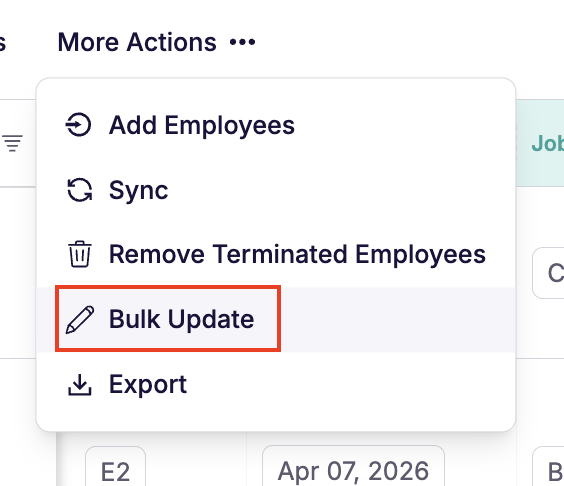
- Click the "More Actions" button and select "Bulk Update"
- Drop or paste the EIDs of employees you would like to make updates to
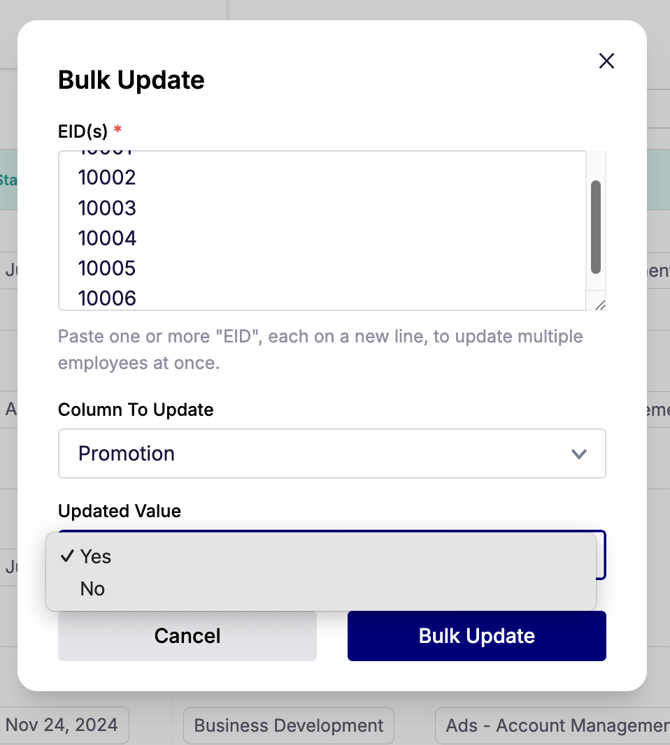
- Select the column to update and add in the new value
- Hit "Bulk Update" to finalize.