.png?width=202&height=50&name=Logo%20(1).png)
How to Clone a Cycle
- Navigate to the Comp Cycles list page.
- Locate the cycle you want to clone.
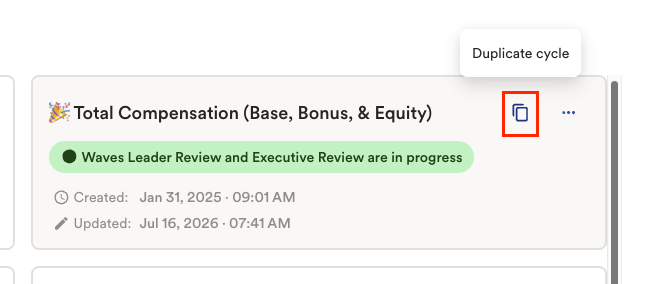
- Click the Duplicate Cycle button.
- Provide a name for the new cycle and determine whether you would like to copy users assigned to roles.
Important:
Uncheck the Copy users assigned to roles option if you do not want non-admin users to have access to the newly created cycle.This is especially important when:
- Building a new cycle that is not ready for users
- Using a cloned cycle for reward letter testing
- Performing other testing or configuration activities
Leaving this option unchecked helps ensure that only administrators can access the cycle while it is being prepared.
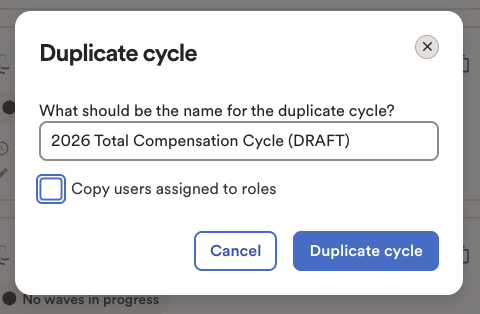
- Click Duplicate Cycle to create the new cycle.
Best Practices
Follow these recommendations when working with cloned cycles:
1. Restrict Access During Setup
Ensure that non-admin users are not assigned to the cloned cycle until it is ready for use.
This helps prevent users from viewing incomplete configurations, test data, or in-progress planning activities.
2. Reset Cycle State
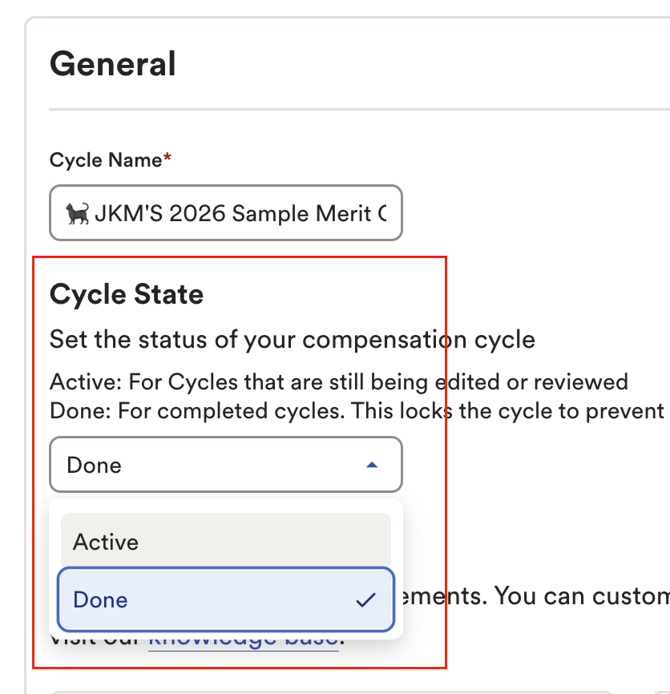
If the original cycle has been marked as "Done", toggle the cloned cycle's state to "Active" to be able to efficiently make edits in the workbook.
3. Reset Planning Group Statuses
If the cloned cycle will be used as the foundation for a new compensation cycle, review all planning groups before launch and ensure:
- All statuses are set to Not Active
- All submission statuses are set to Not Submitted
This helps ensure the new cycle starts in a clean and consistent state.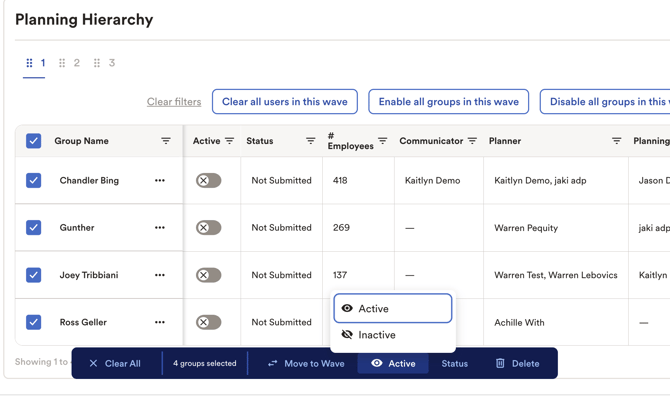
4. Refresh Data
If applicable, refresh the cycle data to ensure the latest employee and compensation information is available before beginning planning activities.
5. Rename the Cycle
Update the cycle name as needed so that users can easily identify the purpose and timeframe of the new cycle.
Examples include:
- FY27 Merit Planning
- Annual Bonus 2027
- Compensation Test Cycle
What Gets Copied?
When a cycle is cloned, the following items are copied to the new cycle:
- Data
- Layouts
- Roles and permissions
- Computations
- Compensation elements
- Other cycle configurations
What Does Not Get Copied?
The following items are not copied when cloning a cycle:
- Comments
- Change history
- Users attached to groups (depending on the Copy users assigned to roles setting)
Recommendation
Before launching a cloned cycle to end users, verify that:
- User assignments are correct
- Planning group statuses have been reset
- Data has been refreshed (if required)
- The cycle has been appropriately renamed
- Testing and configuration activities are complete
Following these steps will help ensure a smooth and secure launch of your new compensation cycle.